Skip to content

Find Your Plan

Choose Your Xtreme HD IPTV Plan

Select your device count, compare subscription durations, and choose the Xtreme HD IPTV package that fits your viewing needs.

Showing subscription plans for 1 device.

Your Exclusive Offer

Save 30% on All Xtreme HD IPTV Plans

Choose your preferred package and click Order Now. Fill in your details and enter code XTREME30 at checkout to receive 30% off your plan.

Choose Your Plan

Choose Your Connection Allowance

How Many Screens Will You Watch at Once?

When comparing Xtreme HD IPTV plans, consider how many devices need to stream simultaneously. Check the connection allowance alongside the subscription duration before ordering.

One Active Stream

A single-connection plan is intended for one device streaming at a time. Installing a player on another compatible device does not add an extra connection.

More Screens in Use

If several devices will play content together, choose the matching connection allowance. Review the selected device count and total price before continuing to checkout.

Plan Around Your Routine

Count the screens you expect to use at the same time, rather than every device you own. Ask support about account sharing and network requirements if your devices will be used in different locations.

For example: watching on a television and a tablet at the same time requires two simultaneous connections. Confirm that your selected plan includes this allowance.

Explore Your Viewing Setup

Xtreme HD IPTV Setup Options for Streaming Devices

Already have a streaming box or TV device? Check its model, operating system and player requirements before choosing your Xtreme HD IPTV subscription.
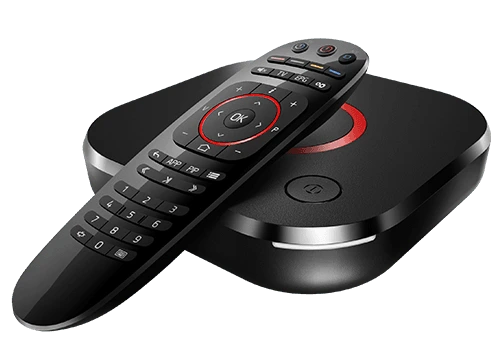
Android streaming box and remote control

Android TV Boxes

Check your box’s Android version and available players to find the installation method suited to your television setup.
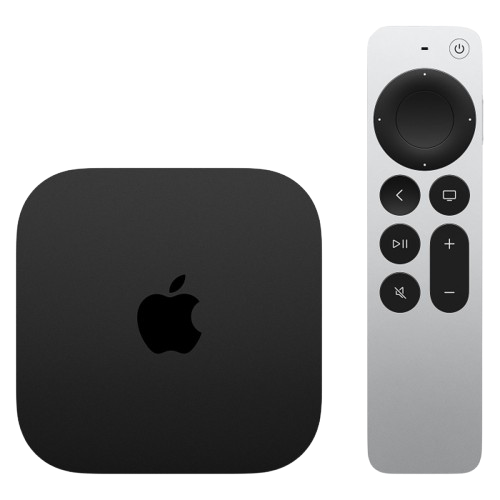
Apple TV streaming device and remote control

Apple TV

Review compatible tvOS player listings and their sign-in requirements before connecting your subscription.

Fire TV Stick and remote control

Fire TV Stick

Identify your Fire TV model, then follow the matching app download and installation instructions for your device.
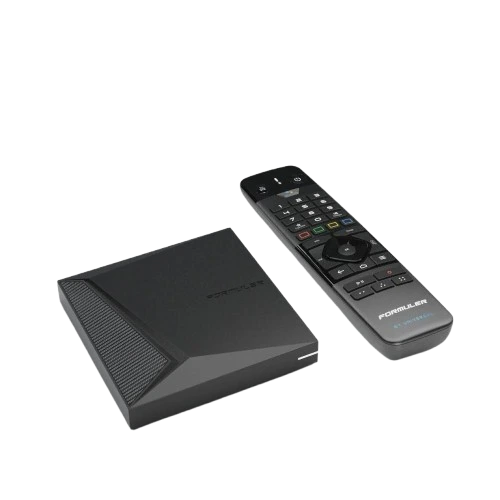
Formuler streaming box and remote control

Formuler Boxes

Your box model and installed player determine the setup steps. Confirm the required account format before configuring the connection.
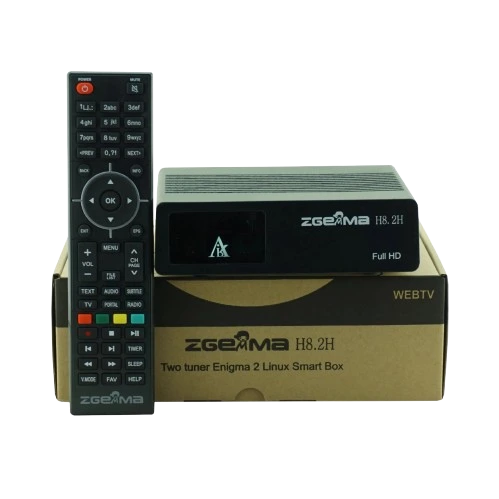
Enigma2 receiver and remote control

Enigma2 Receivers

Receiver software and configuration can vary. Share your model and firmware details with support to check the appropriate setup route.

Roku streaming device and remote control

Roku Devices

Player availability may differ by region and device. Ask support to confirm your options before ordering for a Roku setup.

Compatibility starts with your device model. A device listed here does not guarantee that every model supports the same app. Confirm player availability and any separate player fees before ordering.

Try Before Choosing a Plan

Request a 24-Hour Xtreme HD IPTV Trial

Explore the service on your own setup before choosing a subscription. Use the trial to check device compatibility, navigation and playback with your internet connection.

A Day to Explore Your Viewing Setup

Ask our team for a 24-hour test account and confirm the trial requirements for your device. When access is provided, follow the supplied installation and sign-in instructions to begin testing.
Xtreme HD IPTV 24-hour trial illustration

Confirm Your Device

Share your device model and player name so support can confirm whether your setup is suitable for the trial.

Follow Your Access Instructions

Use the account details and connection method supplied by our team. Keep your trial login private.

Test What Matters to You

Explore the content included in your test account and assess playback on the device you plan to use.

Choose Your Next Step

After testing, compare subscription durations and connection allowances or ask support about any issue you encountered.

Ready to Check Your Setup?

Send your trial request with your device details. Our team can confirm availability, access instructions and when your 24-hour test period begins.

Request My 24-Hour Trial

Trial availability and included content may differ from paid plans. Confirm the trial terms with support before starting.

Sample Reviews — Design Preview

Xtreme HD IPTV Feedback Preview

These fictional examples demonstrate the review layout. Replace them with genuine customer feedback before publishing.

“The plan comparison was easy to follow, and the device guide helped me understand the setup steps.”

Adam Sample review · Fictional example

“I liked having the download options and installation instructions together in one place.”

Emma Sample review · Fictional example

“The explanation of simultaneous connections helped me decide which plan would fit my viewing routine.”

Daniel Sample review · Fictional example

Questions Before You Subscribe

Xtreme HD IPTV Plans & Pricing FAQ

Understand subscription durations, connection limits and setup requirements before choosing your plan.

How do I compare Xtreme HD IPTV subscription prices?

Start by selecting the number of connections you need, then compare the available subscription durations. Review the total price, included features and order details for your selected option before completing checkout.

What does the connection count mean?

The connection count refers to how many streams your plan allows at the same time. For example, watching on a television and a tablet simultaneously uses two connections. Confirm the allowance and account conditions shown for your chosen plan.

Does installing the player on another device add a connection?

Installing a player does not increase your subscription’s connection allowance. The number of installed devices and the number of simultaneous streams are different. Ask support about switching devices and permitted account use before configuring additional screens.

How can I check whether my device is suitable?

Share your device model, operating system and preferred player with our team. Compatibility depends on the available application and its requirements. Check the relevant setup guide before ordering or installing.

Can I request a 24-hour trial before choosing a plan?

You can contact our team to request a 24-hour trial. Confirm availability, included content and when the trial period begins. Use the test to assess your device setup and playback before deciding on a subscription.

What should I check about activation and renewal?

Review the activation instructions and delivery information provided with your order. For a renewal, tell support that you want to extend an existing account and include your order reference. Confirm the new expiry date and any requested plan changes before paying.

Is the player application included in the subscription price?

A player application and an IPTV subscription can have separate charges. Some players require their own licence or activation fee. Check the player’s terms and your selected plan details to understand the complete setup cost.